For a small dental lab, in-house 3D printing can be worth it when there is enough repeatable demand to keep the system productive, digital files are already available, and staff can consistently manage printing and post-processing. It is not automatically cheaper than outsourcing. The decision depends on usable monthly output, labor, equipment utilization, failed prints, post-processing, and the value of shorter turnaround—not simply the price of resin versus an outsourced model.
The useful question is therefore not, “How cheap is a 3D printed model?”
It is:
What does one usable, inspected model actually cost our lab when the complete workflow is included?
That shift changes the calculation considerably.
The American Dental Association recommends looking beyond printer purchase price when evaluating 3D printing. Its guidance includes current outsourcing costs, materials, software, staff training, time, space, additional washing and curing equipment, maintenance-related considerations and expected volume of use when evaluating return on investment.
Start With the Work You Already Outsource
Before comparing printers, count your current production.
How many dental models do you actually order from outside suppliers each week or month?
Not how many you might print someday. Not every case entering the laboratory. Count the models that could realistically move into an in-house resin printing workflow using your existing digital files.
A lab outsourcing 15 models per month has a very different business case from one regularly ordering 150.
The type of demand matters as much as quantity. Twenty nearly identical orthodontic models every week create a more predictable production case than twenty unrelated jobs requiring different resins, orientations, post-processing methods and inspection criteria.
Consistency makes utilization easier.
Minidimu’s current dental printer selection guidance similarly recommends defining actual applications and quantities before comparing equipment. It emphasizes accepted finished parts rather than simply the theoretical number of files that fit on a build platform.
For a lab still estimating its production requirements, reviewing several representative files through a dental 3D printing sample evaluation can also provide more useful information than calculating ROI from specification sheets alone.
Calculate the Real Cost of Outsourcing
The supplier’s invoice is only the visible part of outsourcing cost.
Suppose an external model costs $X. Your true cost may also include shipping, minimum order charges, rush fees, staff time preparing files, order administration, communication about questionable files, checking incoming models and managing remakes.
Waiting time also has an economic value.
A three-day external turnaround may be completely acceptable for routine work. If a technician needs another model immediately after discovering a design problem, however, those three days can interrupt the next production step.
A useful internal calculation is:
Outsourced cost per usable model =
supplier charge
- allocated shipping
- ordering and communication labor
- expected remake or adjustment cost
- any relevant expedite cost
The objective is not to artificially make outsourcing look expensive. In fact, outsourcing can be extremely efficient because the supplier absorbs equipment ownership, maintenance, staffing and capacity risk.
The goal is simply to compare like with like.
Then Calculate the Complete In-House Workflow
Resin consumption is not the same as manufacturing cost.
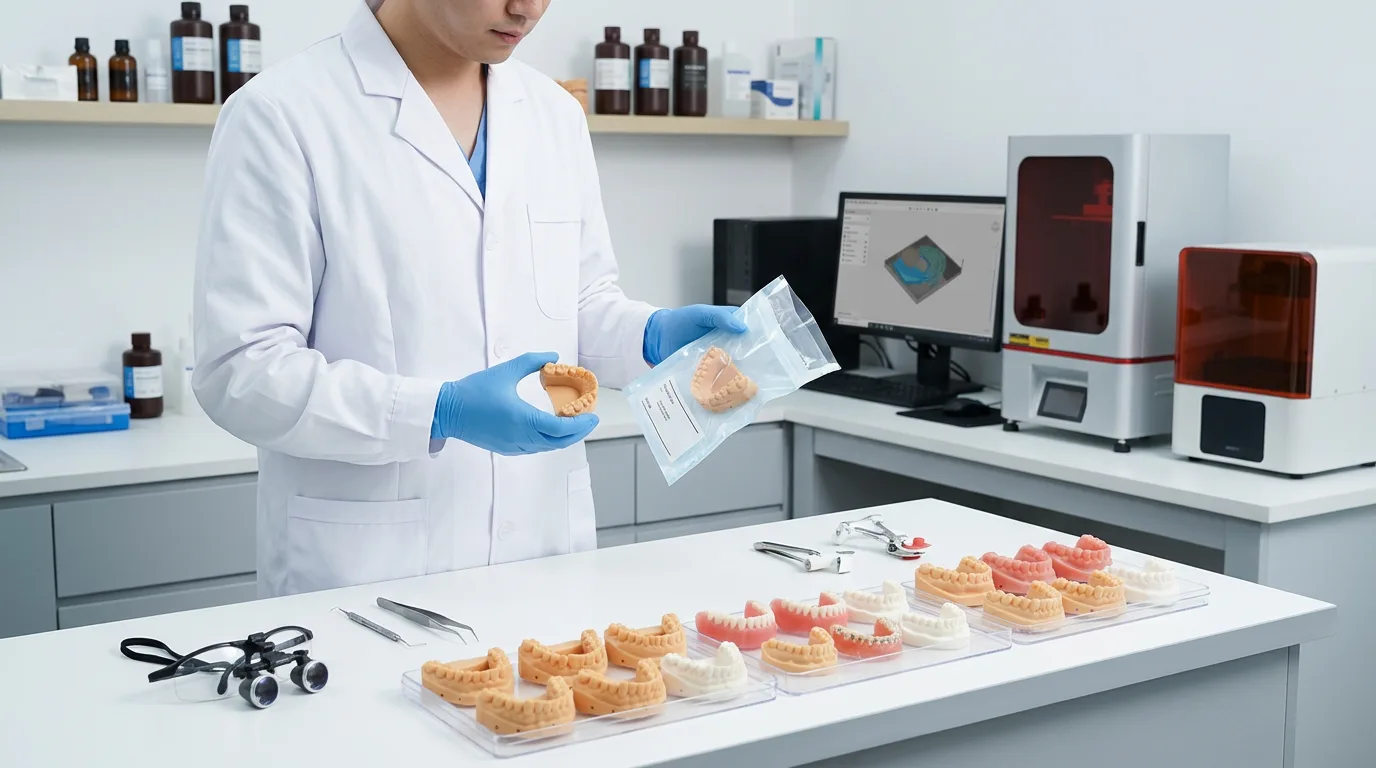
A functioning dental resin printing workflow may involve file preparation, nesting, orientation, support generation, printer setup, printing, part removal, washing, complete drying, support removal, UV post-curing, finishing, inspection and production records.
The current Minidimu dental 3D printing workflow treats printing as only one phase of the process. Digital preparation, post-processing and verification remain part of the production chain.
Someone in the lab has to own that chain.
For a small laboratory, this is particularly important because the technician responsible for printing may also be responsible for CAD, finishing, case management or other revenue-producing work.
An inexpensive machine that consumes too much skilled technician time may have a higher real operating cost than expected.
Your monthly in-house calculation should account for the printer, washing workflow, UV curing equipment, computer or software requirements where applicable, workspace, PPE, resin and cleaning consumables, maintenance, replacement items, operator labor and the expected cost of failed or rejected prints.
ADA guidance specifically identifies costs such as training, software, materials, time, space and post-processing equipment as factors in the investment decision.
Utilization Is Usually the Deciding Variable
A printer that produces four batches every working day and the same printer producing two batches per week do not have the same economics.
The purchase cost is spread across very different quantities of finished models.
This is why small labs should pay particular attention to usable monthly output.
Imagine that the printer, curing equipment and associated workflow create a certain amount of monthly ownership cost regardless of whether 30 or 150 models are produced. With low utilization, every model absorbs a larger share of that fixed cost.
As volume rises, fixed cost per model falls.
But theoretical capacity should not be used for this calculation.
If eight models fit onto a platform but only seven normally pass inspection, the relevant number is seven.
Failed supports, damaged surfaces, incorrect files, resin problems, post-processing errors and dimensional rejection all reduce usable output. Minidimu’s printer-selection guidance explicitly distinguishes platform loading from accepted finished parts and notes that reprints and printing failures reduce effective production capacity.
Use a Simple Break-Even Model
A useful starting formula is:
Monthly in-house cost ÷ usable models produced per month = in-house cost per usable model
Then compare that result with:
Outsourced cost per usable model
Include both fixed and variable expenses in the first number.
For example:
Monthly in-house cost = allocated equipment cost + software + maintenance + workspace + PPE + labor + resin + cleaning materials + failed-print allowance + other operating costs
The calculation becomes more useful when you test several production volumes rather than making one optimistic forecast.
Hypothetical Example
The following numbers are purely illustrative and are not Yidimu pricing, operating data or a promised ROI.
Assume a laboratory estimates $750 per month in fixed or allocated workflow costs and approximately $4.50 in variable material, labor and failure allowance for every usable model.
At 100 usable models per month:
Monthly cost = $750 + ($4.50 × 100) = $1,200
$1,200 ÷ 100 = $12 per usable model
If comparable outsourced models cost the lab an all-in average of $16 each, in-house production appears financially attractive at that utilization.
Now assume production drops to 40 models:
Monthly cost = $750 + ($4.50 × 40) = $930
$930 ÷ 40 = $23.25 per usable model
Under those assumptions, outsourcing at $16 would be cheaper.
Nothing about the printer changed.
Utilization changed.
That is why claims such as “a printer pays for itself in X months” are not meaningful without knowing a laboratory’s real production volume, labor rate, failure rate and workflow costs.
Staff Capacity Can Change the Result
A small lab may have enough cases but still lack enough available labor.
Ask who will actually perform file preparation, nesting, printer loading, washing, drying, curing, support removal, inspection and maintenance.
If the answer is “whoever has time,” the business case deserves another look.
The ADA’s survey of 3D printer users found that software issues and printing failures were among the most commonly reported problems, while staff additions and training were also reported as workflow changes.
That does not mean the workflow must be labor-intensive forever. Repetitive applications can become much more routine once procedures, files and responsibilities are standardized.
But training time and process ownership should be included in the investment decision rather than treated as zero-cost activities.
Post-processing is especially easy to underestimate. Washing and curing are manufacturing operations, not simply cleanup after printing. The exact cleaning liquid, drying conditions, support-removal sequence and curing cycle depend on the selected material and documented process. The dental resin washing and curing workflow provides a useful picture of the steps that need to be assigned, controlled and documented.
Turnaround Can Matter Even When Cost Per Model Is Similar
The financial case is not always determined by whether an internal model costs $1 or $2 less.
Consider a laboratory that frequently receives revisions in the morning and needs updated working models before the next production stage.
With outsourcing, the laboratory may need to upload the revised file, communicate with the supplier, wait for production and then wait again for transportation.
An internal system can potentially remove much of that external queue.
That can make rapid iteration, urgent reprints and same-day or next-day model production operationally valuable even when the direct unit-cost difference is modest.
Control of workflow and improved efficiency are among the reasons dental professionals reported adopting 3D printing in the ADA Clinical Evaluators Panel survey.
However, speed only has value when the internal workflow is reliable. A machine that is available immediately but frequently requires troubleshooting does not automatically improve turnaround.
Failed Prints and Remakes Belong in the Cost Model
A cost-per-model calculation based only on successful prints will exaggerate savings.
If a laboratory consumes resin, printer time and technician labor on ten models but only nine are accepted, the cost should be divided by nine usable models, not ten attempted models.
The same principle applies to remakes caused by file mistakes, support failure, incomplete cleaning, deformation, handling damage or an inspection failure.
Tracking this metric is straightforward:
Usable yield = accepted models ÷ models attempted
A lab does not need a perfect yield to benefit from internal printing. It simply needs to use its actual yield when evaluating economics.
When In-House Printing Probably Does Not Make Sense Yet
Outsourcing may still be the better decision when print demand is very low or irregular, the laboratory does not yet operate a reliable digital workflow, no staff member has time to manage printing and post-processing, applications change frequently enough to prevent standardization, or there is no appropriate workspace for resin handling, washing, drying and UV curing.
It can also make sense to continue outsourcing while the lab gathers production data.
Record outsourced quantities, costs, shipping charges, turnaround, remake frequency and the kinds of models ordered for several months. That creates a much stronger basis for an equipment decision than estimating future demand from memory.
A representative sample workflow can then be used to check whether the intended model, material, batch arrangement and post-processing requirements are practical before equipment is selected.
So, Is In-House Dental 3D Printing Cheaper Than Outsourcing?
Sometimes—but volume alone does not guarantee it.
In-house production is most likely to become economically attractive when a small lab has a steady stream of repeatable digital work, enough utilization to distribute equipment costs across meaningful output, trained staff, controlled post-processing and a low enough failure rate to maintain predictable usable yield.
Outsourcing remains attractive when demand is sporadic because the lab pays for production when needed without carrying the full cost of idle equipment and internal process ownership.
The strongest decision is often based on two numbers:
Actual outsourced cost per usable model
versus
Projected in-house cost per usable model at realistic monthly utilization
Run the calculation at low, expected and high production volumes. Add a reasonable failure allowance. Assign a real cost to technician time.
Then consider turnaround separately.
If internal production lowers cost and removes an important workflow delay, the case becomes significantly stronger.
If the numbers only work when the printer operates near theoretical capacity with almost no labor or failed prints, the investment case is probably too optimistic.
For a small dental lab, the question is therefore not whether dental 3D printing is generally worth buying.
It is whether your existing case volume and team can keep a complete digital production workflow productively occupied.
For laboratories reaching that stage, comparing actual files and expected batch quantities against available dental 3D printer options is a more useful next step than starting with printer resolution or headline specifications.